

Natural8 Download Thailand: Mobile and Desktop Poker Client Guide
Key Takeaways
- Dedicated client applications for Android, iOS, Windows, and macOS are required to access real-money poker games and tournaments in Thailand.
- Supported local payment methods, including PromptPay QR codes and direct Thai bank transfers, are integrated directly into the in-app cashier.
- Multi-table management is streamlined on mobile devices via Smart Focus and customisable hotkey options on desktop platforms.
- Access to mobile-exclusive features includes the Smart Betting algorithm, which suggests dynamic bet sizing during active hand decisions.
- Account registration and platform access are subject to strict regional availability checks and mandatory KYC identity verification inside the client.
Natural8 Software Routes for Phones, Tablets and Home Computers
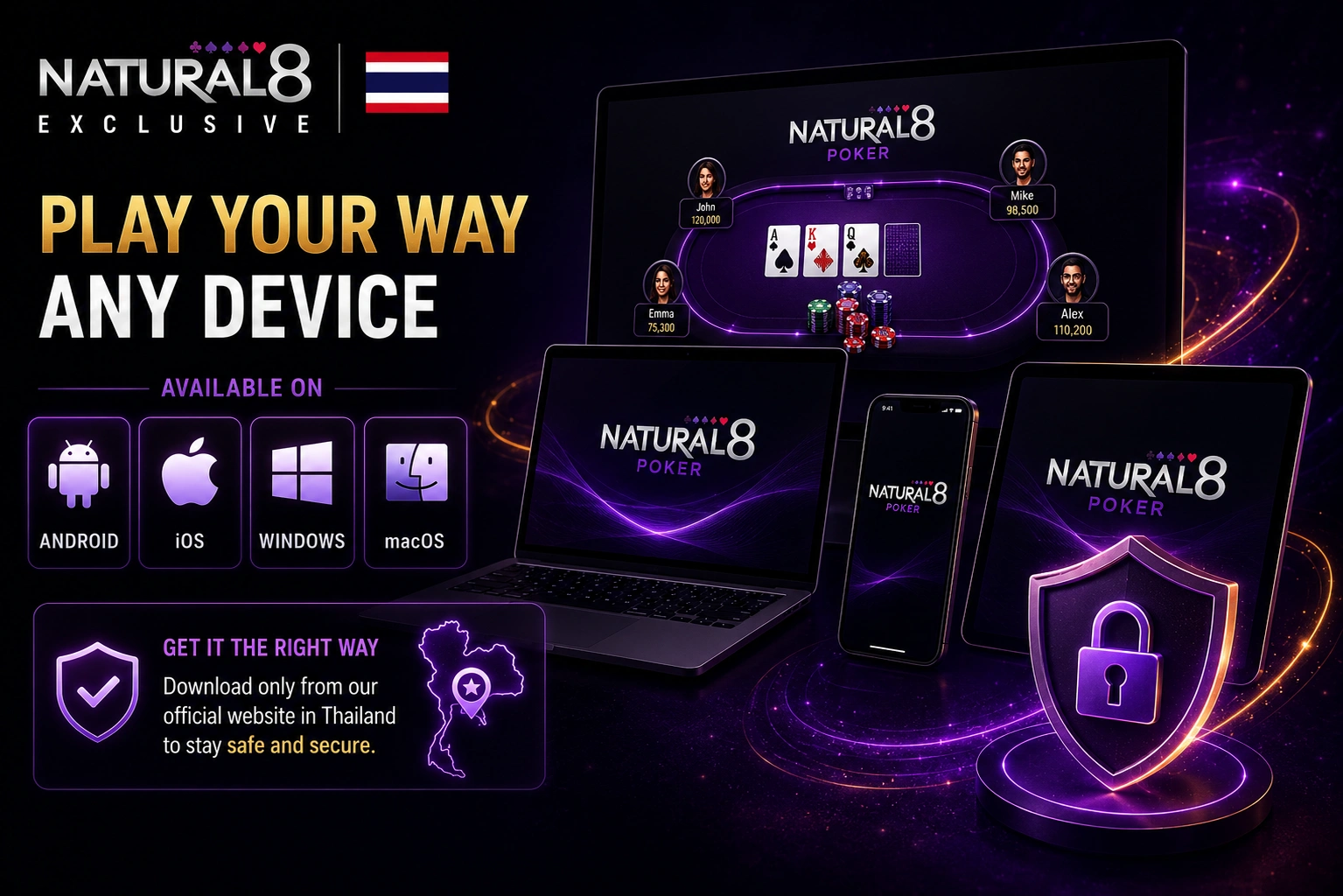
Natural8 maintains dedicated client builds for Android, iOS, Windows, and macOS devices. Players in Thailand must acquire software directly from our official portal to avoid unverified third-party sources.
Android Access for Touch-Screen Poker Sessions
Android smartphone and tablet users should select the Android client through Natural8’s official download section and follow the installation instructions shown for their device. After installation, the app provides access to the player account and available poker features.
iPhone and iPad as the Apple Mobile Route
To prepare an iPhone or iPad for Natural8:
- Open the official Natural8 website on the Apple device.
- Select the iOS version offered through the current download section.
- Follow the installation instructions displayed for the device.
- Launch the client and sign in to an existing account or proceed with registration.
Why Real-Money Poker Starts Inside the Installed Client
Natural8 requires its dedicated software for poker access. According to the official poker page, cash games and tournaments are not available through a standard web browser, so players need the appropriate Natural8 client for their supported device.
Cash Tables, Scheduled Events and Special Formats After Installation
After launching the application, players gain immediate access to our full suite of real-money tables and competitive tournament lobbies:
- Standard Cash Games: No-Limit Hold’em, Pot Limit Omaha, and Short Deck ring games.
- Fast-Action Formats: Spin & Gold jackpot sit-and-gos, All-in or Fold, Rush & Cash, and Flip & Go events.
- Multi-Table Tournaments: Mystery Battle Royale, guaranteed scheduled events, and daily leaderboards.
Desktop Poker for Players Who Prefer Keys, Windows and Larger Screens
If you usually play on a computer, the Natural8 app can make multi-table sessions much easier to manage. It works on both Windows and macOS and gives you enough space to keep up to four tables open at the same time. The windows stay easy to follow without covering one another, so the screen doesn’t quickly turn into a mess. Even during longer sessions, the app is designed to keep things running smoothly while you move between tables.
Windows and Mac Hotkeys for Faster Table Control
Natural8 supports Customisable Hotkeys on both Windows and Mac. Players can assign keyboard keys to actions such as Fold, Check/Call, Bet/Raise, All-In and Straddle, as well as functions including Hand History, Time Bank and switching the stack display between currency/chips and big blinds. Native mouse-button hotkeys are not currently supported.
Natural8 Account and Cashier Setup for Players in Thailand
After you install the casino app client in Thailand, getting to the cashier is pretty straightforward. Just log in if you already have an account, or sign up if you’re new. Keep in mind that the cashier may look different from one player to another. The available deposit and withdrawal methods depend on the country registered on your account.
Sign-In Details, Funding Menu and Region-Based Payment Choices
To manage account funds, users complete sign-in using their registered email address or mobile phone number, then navigate directly to the dedicated cashier menu:
| Payment Category | Transaction Channels | Operational Availability |
|---|---|---|
| Local Banking | Thai bank wire transfers, PromptPay QR integration | Account verified |
| Digital Solutions | Supported cryptocurrencies, web e-wallets | Region dependent |
| Profile Gateways | Registered user credentials and security check | Individual status |
A Mobile Betting Assistant That Does Not Exist on Desktop
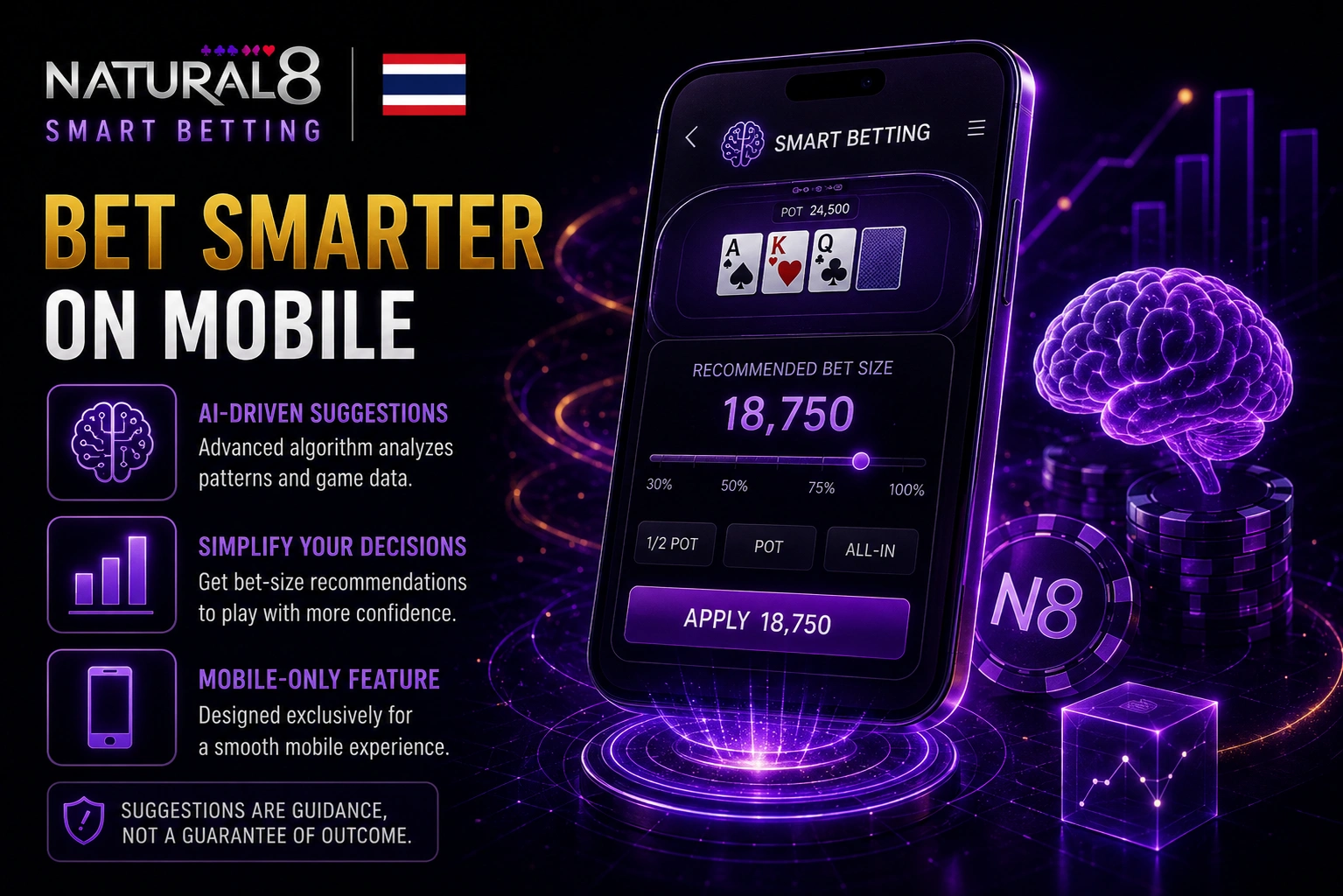
Smart Betting is a mobile-only Natural8 feature that uses a machine-learning algorithm to generate bet-size suggestions from betting patterns and game-type data. It is designed to simplify bet sizing on mobile rather than act as a guarantee that any suggested decision is correct.
Three Smart Betting Suggestions Generated During a Hand
From the table settings, you may activate this feature. When you need to make a move, you’ll receive three bet size recommendations once it’s activated. The recommended amounts are determined by the action at the table and the hand you are currently playing. You can use the standard betting slider to select your own amount if none of them seem appropriate. The recommendations will be accessible the next time the feature is used, so there’s nothing else you need to do.
Managing Several Live Tables Without Constant Manual Switching
Our mobile application makes multi-table navigation easier with dynamic visual interface triggers designed specifically to prevent missing actions during concurrent tournament or cash table sessions. Rather of requiring gamers in Thailand to swipe between active gaming screens, the client interface dynamically arranges up to four concurrent sessions. This guaranties quick betting choices and precise time bank management without layout overlay delays or screen confusion.
Smart Focus, Hand Moments and Cross-Device Player Notes
By default, the integrated Smart Focus function shifts the active table view to the table that needs a quick action decision. Additionally, players can record comprehensive Universal Player Notes that are fully synchronized and accessible across all mobile platforms, desktop computer applications, and the integrated PokerCraft analytics reporting portal, as well as use Hand Moments to document certain critical hand histories.
Natural8 Verification, Regional Checks and App Support in Thailand
Players in Thailand should use the country list shown during Sign Up to determine whether registration is currently available for their location. Natural8 states that if a country of residence cannot be selected, it will typically be unable to accept that user as a player. VPNs, proxies and similar methods must not be used to mask location in order to play from a prohibited region.
KYC Inside the Client and Help When the Software Does Not Work
Identity verification documents are uploaded through the client application using these step-by-step navigation paths:
- Desktop Client Navigation:
- Step 1: Open the desktop software and click Profile.
- Step 2: Select My Account from the menu.
- Step 3: Open My Documents to upload files.
- Step 1: Open the desktop software and click Profile.
- Mobile Client Navigation:
- Step 1: Tap the Me icon on mobile.
- Step 2: Select My Info from settings.
- Step 3: Tap My Documents to submit.
- Step 1: Tap the Me icon on mobile.
- Technical Support Steps:
- Contact 24/7 Live Chat or email support@natural8.com.
FAQs
How are software updates managed within the client?
App updates install automatically up;on launching the application whenever a new patch releases. Completing the initial Natural8 download guarantees your software receives critical security updates without manual file downloads.
What are the minimum storage requirements for desktop installation?
Desktop devices require at least 1 GB of free disk space and 2 GB RAM. Additional storage capacity maintains smooth operation during intensive multi-table session play.
Can I switch the app interface language to Thai?
Language preferences are adjusted directly inside profile settings to select English or Thai. This updates menu navigation and system prompts across the entire client interface.
Does the application automatically disconnect inactive user sessions?
Security protocols trigger automatic account disconnection after 15 minutes of complete inactivity. Players must re-enter credentials to restore full cashier and lobby access.